A good answer might be:
No---its all Java. There are a few different commands used in each, but the fundamentals are the same.
Creating a Java Source Program
You may have a more elegant way of creating Java programs that the one about to be described. We will use the "Notepad" editor that comes with Microsoft Windows operating systems (Windows NT©, Windows 95©, and Windows 98©.) A word processor like MS Word will also work if your are careful to same your work to a DOS text file not a MS Word format file. The goal is to create a text file called Hello.java containing the characters below:
class Hello
{
  public static void main ( String[] args )
  {
    System.out.println("Hello World!");
  }
}
On an Intel-based computer running Windows 95© or Windows NT©, first start up the DOS command prompt. One way to do this is to click on the "Start" button in the lower right of your screen. You should now see a menu of choices similar to below. Look for the "MS DOS" Icon:
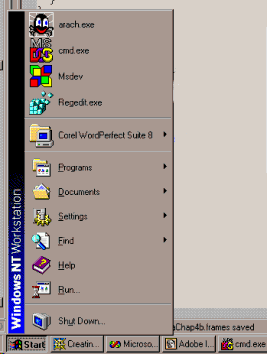
You may have to click on the "Programs" menu choice to see the "MS DOS" icon. Click on the "MS DOS" icon to start a command interpreter window.
QUESTION 8:
Will you see exactly the same things on your computer system?
Click Here after you have answered the question