A good answer might be:
Step 5: Save
Step 5: Save the Program
The next step is to save the characters in Notepad to a source file.
- SAVE: Click on the "File" menu and "Save As" HelloPlanets.java.
- You will have to "navigate" to the same subdirectory as in step 2.
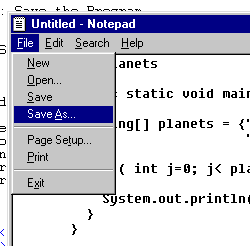
You will get a window that allows you to "navigate" to the subdirectory where the file should be saved.
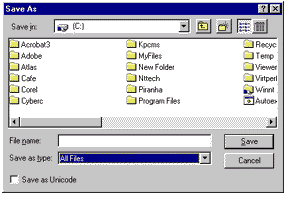
For this example, the subdirectory is C:\Temp.
If you see this directory, click on it.
(If you don't, use the various controls to move around until you do see it.)
There will probably be miscellaneous strange files in this directory,
but they don't hurt.
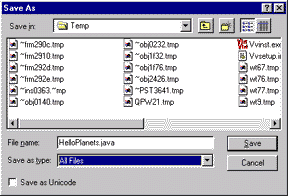
Type in the name of the source file:
"HelloPlanets.java"in the "File Name" text box. In some versions of Notepad you must use quote marks around the name of the file. Now Select "All Files" in the "Save as Type" text box. Finally, click on the "Save" button.
QUESTION 9:
Hopefully, the file "HelloPlanets.java" has been saved to the subdirectory
C:\Temp,
the same one that the DOS window is using.
How can you confirm that this indeed happened?