A good answer might be:
Paste.
Step 4: Paste into Notepad
Step 4 is:
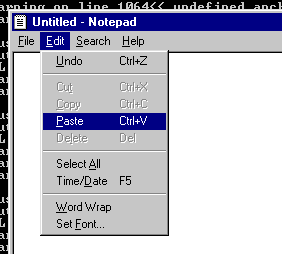
- PASTE: Click inside the Notepad window to make it active. Go to its "Edit" menu and click on "paste." You should now have have a copy of the program in Notepad.
After the operation is complete you should have the following:
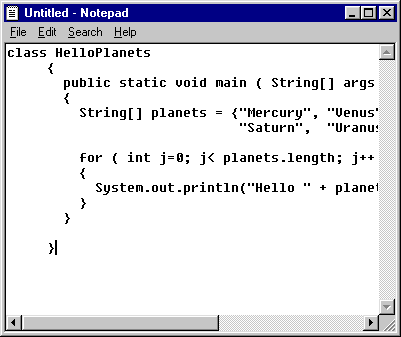
The margins are often not as nice as in the original. Also, my Notepad window is too small to show the complete program, but the complete program is there. You can make your Notepad window bigger by clicking and dragging on its lower right corner.
QUESTION 8:
What is the next step in the Copy, Paste, S, and Run method?
Click Here after you have answered the question